FabFilter Pro-C 3 Review
- January 16, 2024
- by Steve Castellano
- Product Intelligence Report
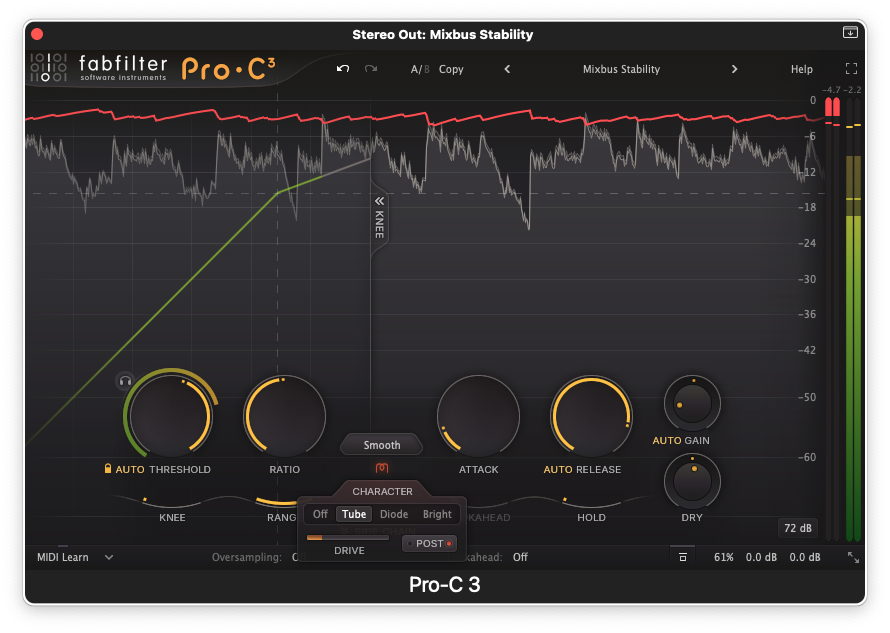
As far as audio plugins are concerned, FabFilter Pro-C2 has earned the description “venerable” at this point, having been a staple of engineering and mastering workflows for over ten years –the first iteration of Pro-C having been introduced in 2007. Other words you may have seen used to describe Pro-C2 include “surgical,” “transparent,” and “easy to use.” The developers at FabFilter have not disappointed with the release of Pro-C3, keeping (and lightly refreshing) the good stuff and expanding functionality in a number of directions. For the benefit of those who may not be familiar with the previous version, I’ll start with a quick overview of the former before exploring the newer features.
A window into the world of compression
While the vintage hardware that many compressor plugins seek to emulate were often quite minimal in nature, with a literal handful of knobs and buttons and a VU meter, FabFilter has their own way of designing an interface. Pro-C3 features a large, resizable window that is shared by a Knee Display and a scrolling Level Display, with controls (Threshold, Ratio, Attack, Release, Wet and Dry Gain) arranged tidily in the lower third of the window. A new “compact” view setting hides the 2D level display when space is at a premium.
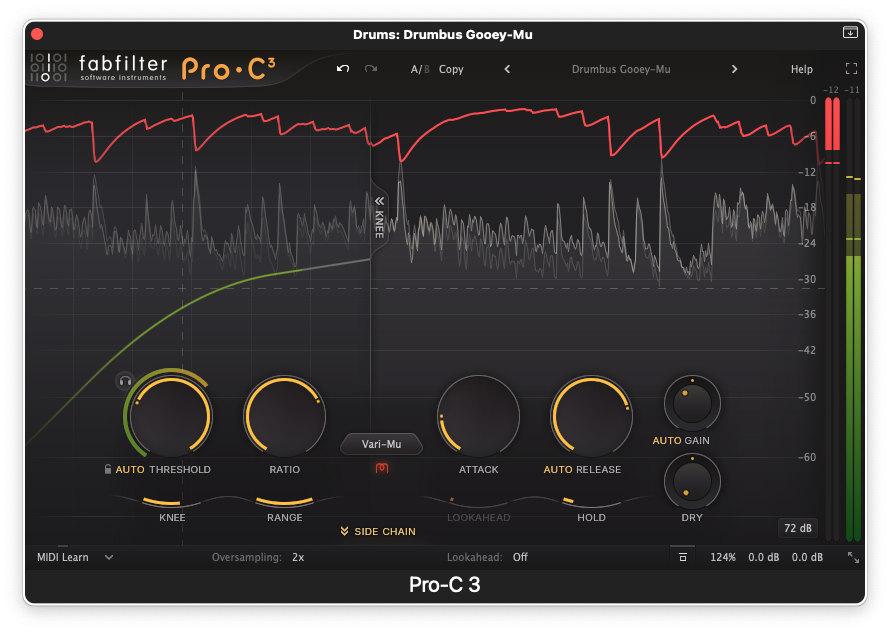
This display is ingenious and very much in keeping with the aesthetic of the FabFilter product line. You can see exactly what’s happening to your audio as you adjust the controls in real time. The red gain reduction line in particular gives you a very clear representation of how small changes can affect the output. This also makes Pro-C3 an excellent learning tool for anyone who wants to get a grasp on exactly what these controls do.
Those familiar with Pro-C2 will see much that is familiar here, but the interface has been subtly streamlined – the scalloped knobs and grey sliders have been updated to a cleaner, more linear design, and many of the range labels have been eliminated in favour of hover-state readouts. But while the UI looks more spare, many of your options have increased. Oversampling is now available up to 32x (from 4x in Pro-C2). Lookahead is now selectable from 1 to 20 milliseconds. And the style menu has been significantly enhanced.
Now with more style and character
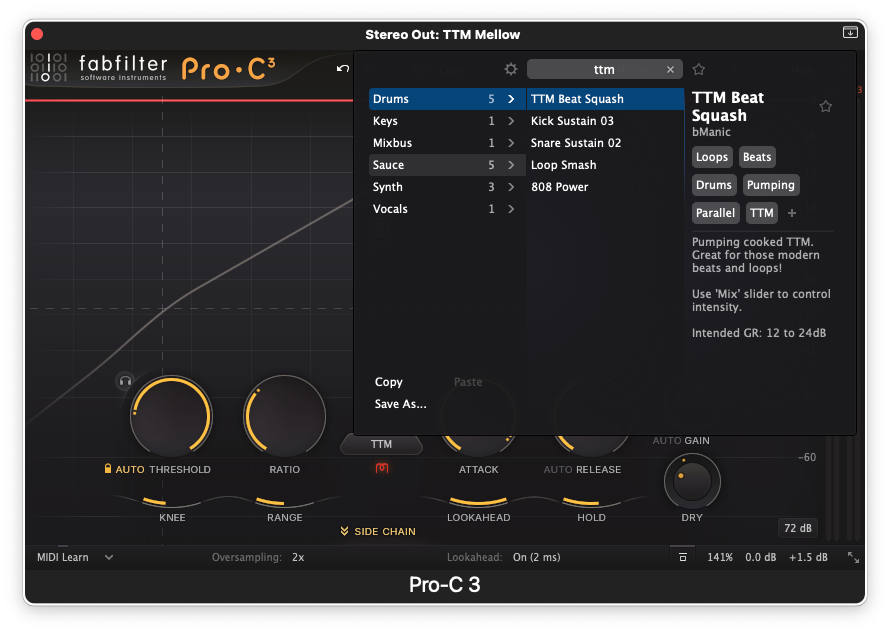
The Style menu has been expanded from 8 to 14 styles, now organized into Modern, Vintage, and Utility categories. The Modern category includes Clean and Punch from the previous version, but also adds new Versatile, Smooth, Upward (upward compression) and TTM (To The Max “multiband mayhem”) styles. The Classic category adds Op-El opto-like tube compression and Vari-Mu emulation to the previous Classic and Opto modes. Vocal, Mastering, Bus and Pumping modes now comprise the Utility category.
Complementing this collection of styles is the new Character mode, which allows you to choose various types of analog saturation and coloration – Tube, Diode, Bright, or Off. The Drive slider lets you dial in the saturation level, and a routing selector lets you choose whether saturation is applied pre or post compression.
These options represent a world of creative options beyond the “surgical precision” that the Pro-C name has become synonymous with, and is exciting news for anyone who has felt compelled to add a vintage simulation to a channel that already had transparent compression loaded in. Pro-C3 is now a one-stop shop for everything from mastering-level detail to unbridled creative exploration and beat-making.
Creative side chain options
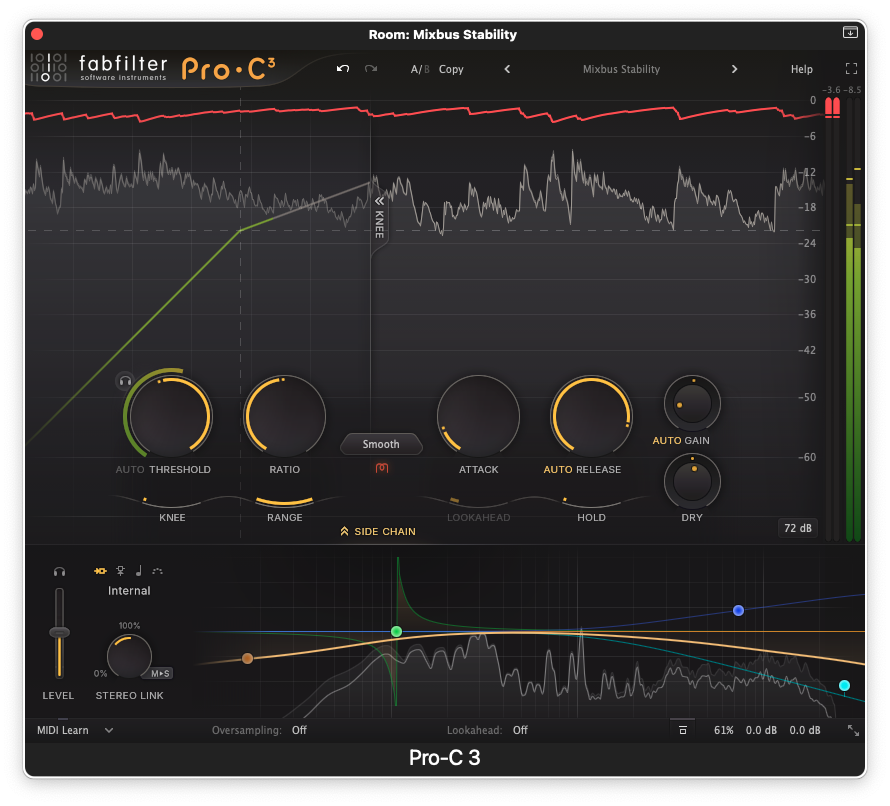
The extensive side chain drawer has also seen an impressive upgrade. Internal and External side chain options have been augmented with Host Sync, which allows you to sync gain reduction to your song tempo, with selectable note values. If your music demands something more rhythmically complex, you now have a MIDI note trigger option, which, like all Pro-C3’s controls, can be addressed through the MIDI learn feature.
FabFilter had previously applied their extensive filtering prowess to the sidechain drawer, which will be familiar to anyone who has used their highly regarded Pro-Q4 EQ plugin. This feature allows you to pick and choose the frequencies triggering your compression to an exceptionally fine degree, having now been expanded from three available bands to six, each with fully adjustable shape and slope.
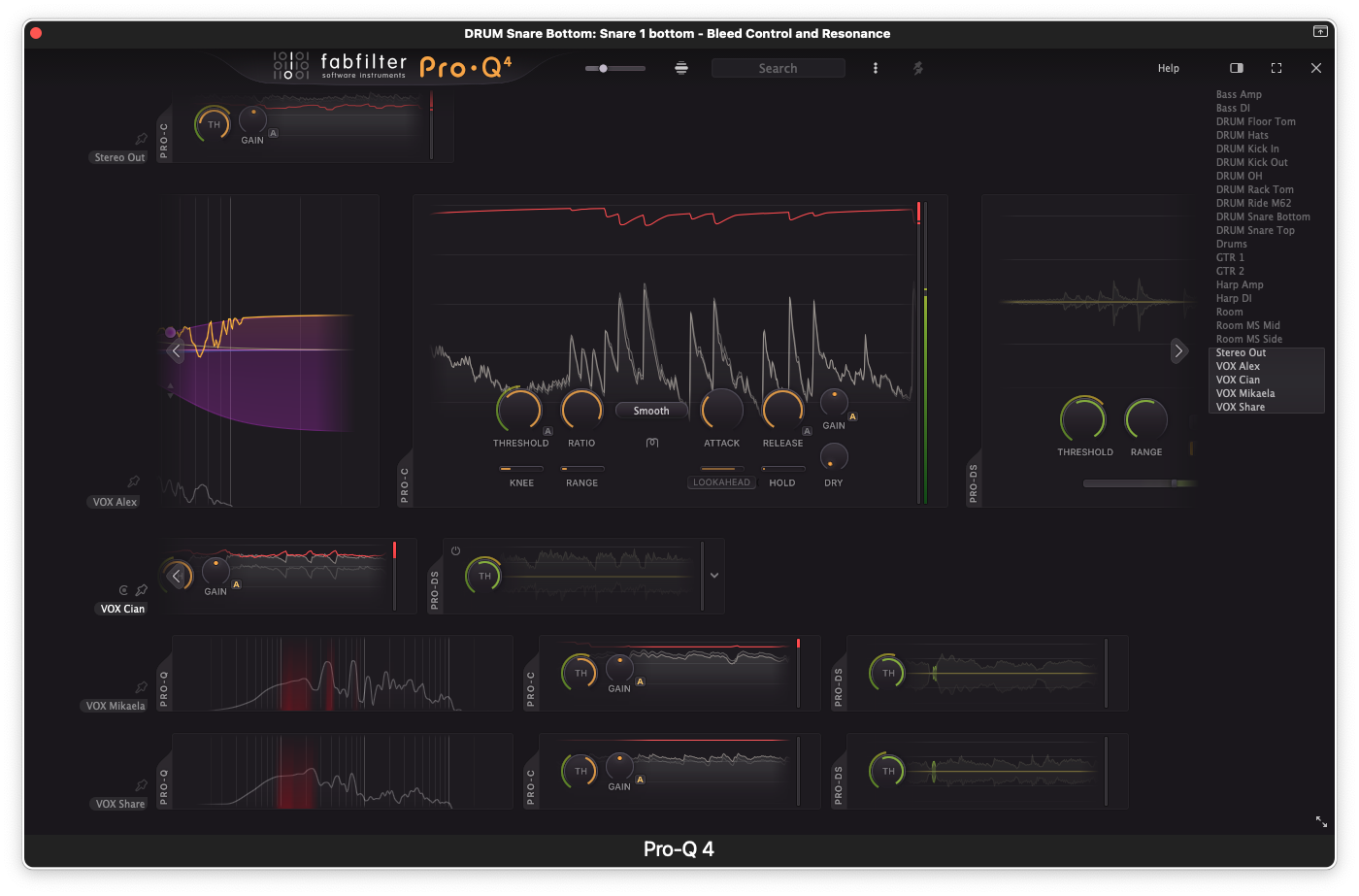
The EQ Match feature is now accessed from the Instance List, and in addition to previous reference selection methods you can now use other instances, load external audio files, or even drag and drop them from your desktop onto the plugin window.
Now accessible via the instance list
For those of you who currently have Pro-Q4 in your arsenal, Pro-C3 is now included in the instance list, along with Pro-G (gate and expansion) and Pro-DS (de-esser). Accessible from any Pro-Q4 window, the instance list lets you see all active instances of these plugins in your mix, in real time, and select any one to adjust without backing out and switching channels.
You can look at this expanded instance list like a new kind of channel strip, or even console environment, reducing the clutter of multiple plugin windows and helping to streamline your production workflow. FabFilter promises more plug-ins to be included in the instance list in the future.
Conclusions
There’s a lot in Pro-C3 that you’re really going to have to hear for yourself – particularly where the new Style and Character modes are concerned. I’ve just scratched the surface here, as there are plenty of other enhancements and new features under the hood. The nested preset browser offers tags, descriptions and a search function to make it easier to find your favourite settings fast – preset notes even include tips on how to get the most out of the new factory presets. And for those of you working in surround and immersive audio, Pro-C3 supports a range of surround audio formats, up to Dolby Atmos 9.1.6. FabFilter clearly sets the bar high for themselves and others in their commitment to outstanding functionality and ease of use, and this new release is no exception.
Latest Music Software Reviews
Author

Steve Castellano
Steve Castellano is a musician and writer living in Toronto, Canada. He holds a music degree from York University, where his focus was electronic music and composition. He currently records and performs modular electronic music under the name Elettronica Sperimentale.